
Products
Here
(The clipboard comes to you.)
Your clipboard, at your cursor.
Here is a native macOS clipboard utility built around one repeated interruption: returning to something you copied earlier.
Product Link
The Observation
While working with a mouse or trackpad, my attention was already on a particular part of the screen. Retrieving an older copy meant leaving that spot, opening another interface, finding the item, and returning to the task.
Each interruption was small. Repeating it throughout the day made it worth questioning.
The Underlying Problem
It was tempting to think the answer was a clipboard manager with more features. But the friction was in how the tool related to the work underneath it.
Where did it appear? Did it take focus? Did I have to shift my hands? Would the original field still be ready when I returned?
What changes if the clipboard comes to the user, instead of the user going to the clipboard?
The Decision
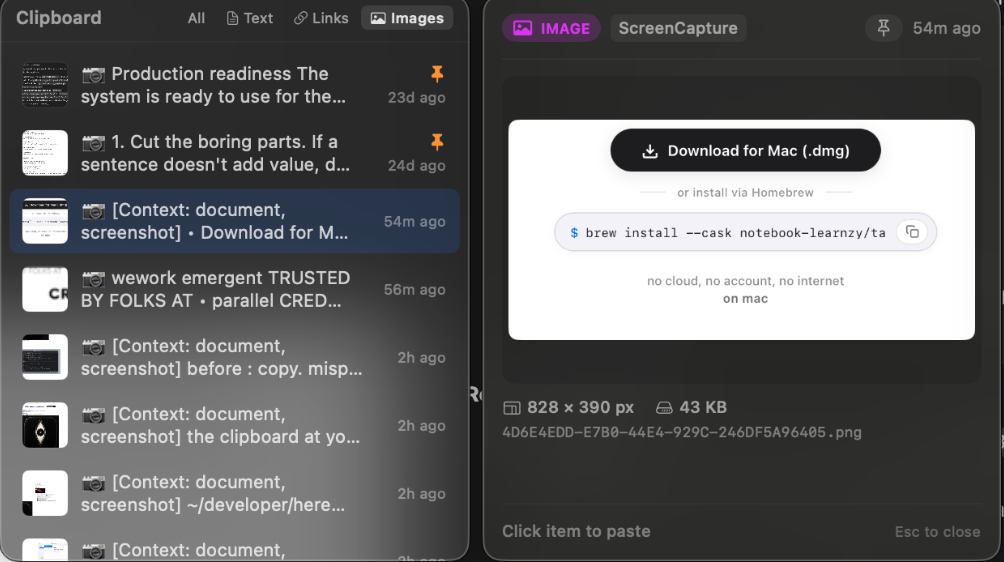
I put recent copies beside the cursor. Double right-click opens the popup; choosing an item pastes it into the field already in use.
The interaction should preserve the task rather than make the clipboard feel like another destination.
That also separated two needs:
- Something needed now: close, quick to recognize, and ready to paste.
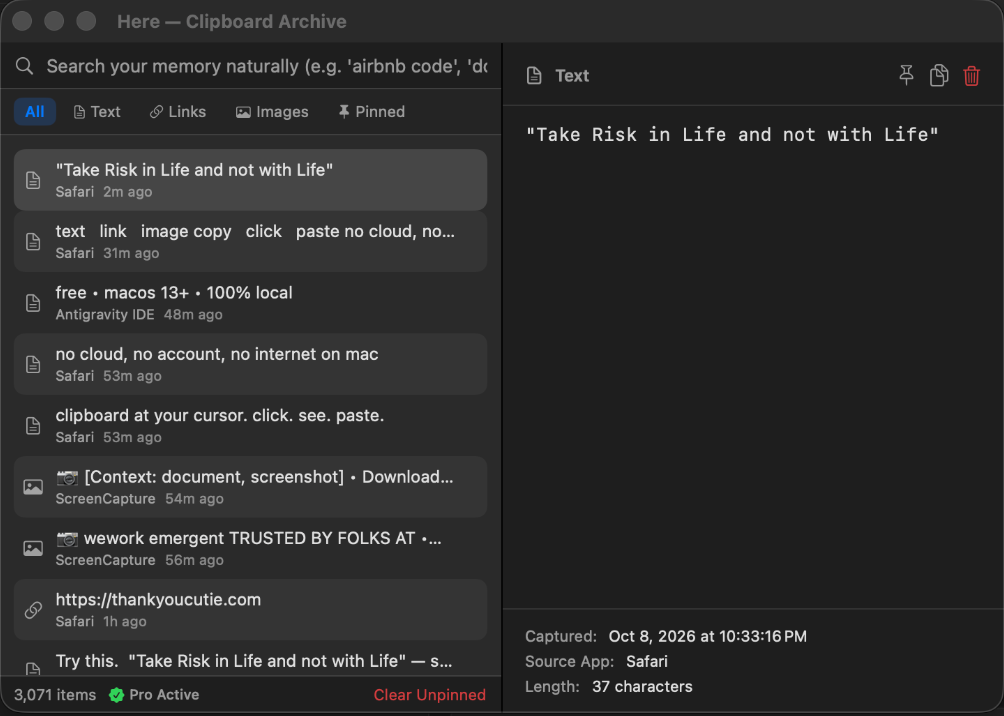
- Something needed later: a separate archive with room to search, preview, and organize.
Trying to make one surface do both would make the frequent interaction carry too much.
The Result
Here provides a cursor-based popup for recent copies and a separate archive for older history. Text, links, images, and screenshots fit into that workflow, with previews and search supporting recognition and retrieval.
The product is available for macOS from its public website.
The Tradeoffs
The popup must preserve the receiving field's focus, stay on screen, and make each item recognizable.
I chose native Mac interfaces to fit the surrounding applications.
Clipboard history stays on the Mac. Updates, account and licensing features, and usage telemetry use the network.
The Mental Model
Reduce the distance between an intention and the action that completes it.
That distance can be physical, visual, or mental. Here keeps the frequent action close and gives less frequent tasks their own space.
The next test is whether that interaction remains useful across applications and working habits, not just in a demonstration.